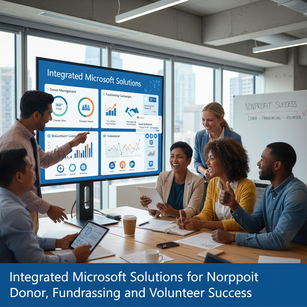
Integrated Microsoft Solutions for Nonprofit Donor, Fundraising, and Volunteer Success
Nonprofit organizations increasingly rely on modern cloud platforms to manage donors, run fundraising campaigns, and coordinate volunteers efficiently. Microsoft’s suite—centered on Dynamics 365, the Power Platform, Office 365 (now Microsoft 365), and Teams—offers an integrated stack that can replace disconnected spreadsheets and stitched-together toolchains. Together these solutions provide constituent relationship management, analytics, automation, collaboration, and communication tools designed to improve coordination, communication, and fundraising effectiveness. By unifying donor and volunteer data in Microsoft Dataverse and leveraging built-in accelerators for nonprofits, organizations can centralize records for households, gifts, events, and touchpoints, enabling a 360-degree view of supporters. That consolidated view supports personalization, retention strategies, and more strategic fundraising outreach while lowering manual effort and reducing errors.
Dynamics 365 acts as the core CRM and operational backbone for many nonprofits. With the Nonprofit Accelerator and purpose-built templates, Dynamics 365 can track constituents, manage campaigns, record donations, handle pledge tracking, and manage grants and programs. Dynamics 365 Marketing helps create targeted email journeys, landing pages, and event management flows that are synchronized with donor records, while Dynamics 365 Customer Insights and Dataverse enable deeper segmentation and unified profiles. Finance and operations integrations—either through Dynamics 365 modules or third-party ISVs—allow revenue tracking and donation reconciliation. The advantage of using Dynamics 365 is the rich relationship modeling, workflow capabilities, and extensibility that let nonprofits capture prospect research, major gift strategies, matching gift processing, and stewardship activities in one system accessible to fundraising, finance, and program teams.
The Power Platform—Power BI, Power Automate, and Power Apps—extends Dynamics and Microsoft 365 by turning data into action. Power BI delivers fundraising dashboards and marketing insights: retention cohorts, donor lifetime value, campaign ROI, and donation trends can be visualized in near real time so leadership can make data-driven decisions. Power Automate reduces repetitive tasks with flows that automate gift acknowledgments, update donor records after online payments, and route major-gift moves-management tasks to the right relationship manager. Power Apps enables lightweight, role-specific apps for field and volunteer use: a volunteer sign-in app on a tablet at events, a mobile app for canvassers to capture pledges, or a program intake form for caseworkers that writes directly to Dataverse. Because these tools share the same data layer, custom apps and automations maintain data integrity and accelerate deployment without heavy developer overhead.
Microsoft 365 and Teams provide the collaboration and communication fabric that ties fundraising and volunteer efforts together. Outlook and Exchange provide integrated email and calendar, while SharePoint and OneDrive provide secure document libraries for grant applications, donor agreements, and campaign collateral. Microsoft Forms and integrated survey tools make volunteer scheduling, event RSVPs, and post-event feedback simple to collect and analyze within the platform. Teams brings real-time coordination—channels for campaigns or volunteer programs, integrated Planner or Tasks by Planner and To Do for assignment tracking, and the ability to surface Power BI reports and Dynamics records directly within a channel. For remote volunteer coordinators or geographically dispersed fundraising teams, Teams’ meetings, recorded briefings, and persistent chat drastically reduce email back-and-forth and speed up decision-making.
To realize these benefits, nonprofits should follow pragmatic implementation and governance practices. Begin with a clear data model and the fewest necessary integrations—use Dataverse as the canonical store for contacts, gifts, events, and volunteer assignments. Prioritize high-impact automations such as automated acknowledgements and segmented nurture campaigns, then iterate toward analytics and custom apps. Train staff on using Teams as the primary collaboration hub and define ownership for data quality, security roles, and compliance (GDPR, HIPAA where applicable). Consider licensing and cost optimization—Microsoft offers nonprofit licensing discounts, and partners can provide packaged solutions and migration assistance. Finally, measure outcomes: track metrics like donor retention, average gift size, time-to-acknowledgement, volunteer hours matched to outcomes, and campaign ROI. Organizations that align people, processes, and these Microsoft tools often see faster response times, higher donor engagement, and better volunteer coordination, delivering measurable improvements in fundraising effectiveness and program delivery.